


Set up leave types and approval
Create leave types, set the yearly balance, and choose who can approve a request.
On this page
Who is this lesson for?
For HR: set leave types, balances, and who approves a request.
Before you start
- The leaves module is on, and you can manage leave settings.
- Employees and their roles are added.
Open leave settings
From Settings: Leaves Settings.
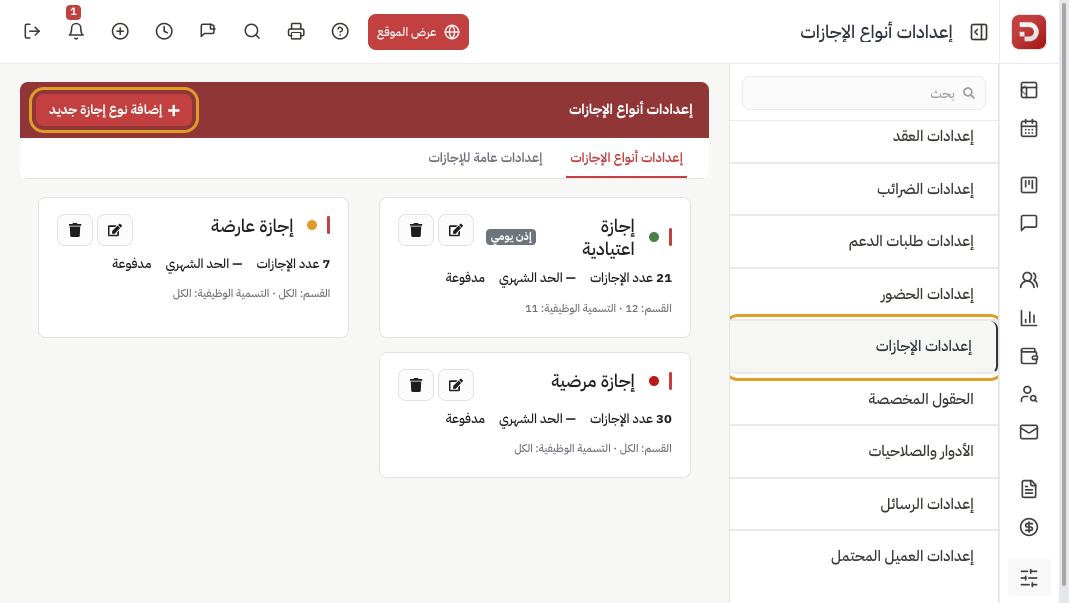
The first tab lists current types. Click Add New LeaveType.
Name and balance
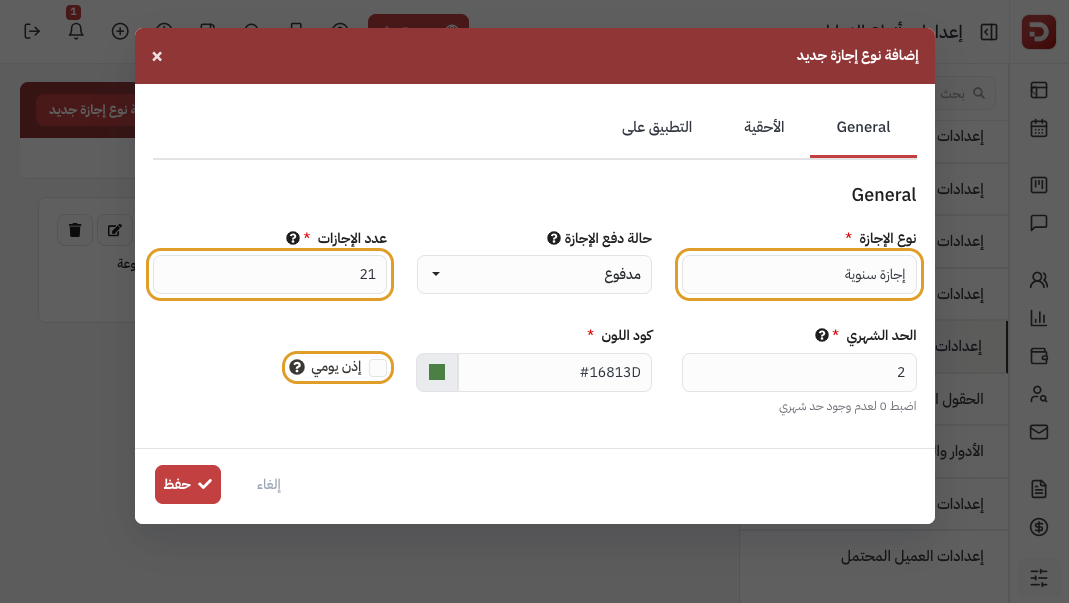
- Leave type: the name the employee sees.
- Paid or unpaid.
- No of leaves: the yearly balance.
- Monthly limit: 0 means no limit.
- Daily permission: hours during the workday, not a full day off.
When the balance starts
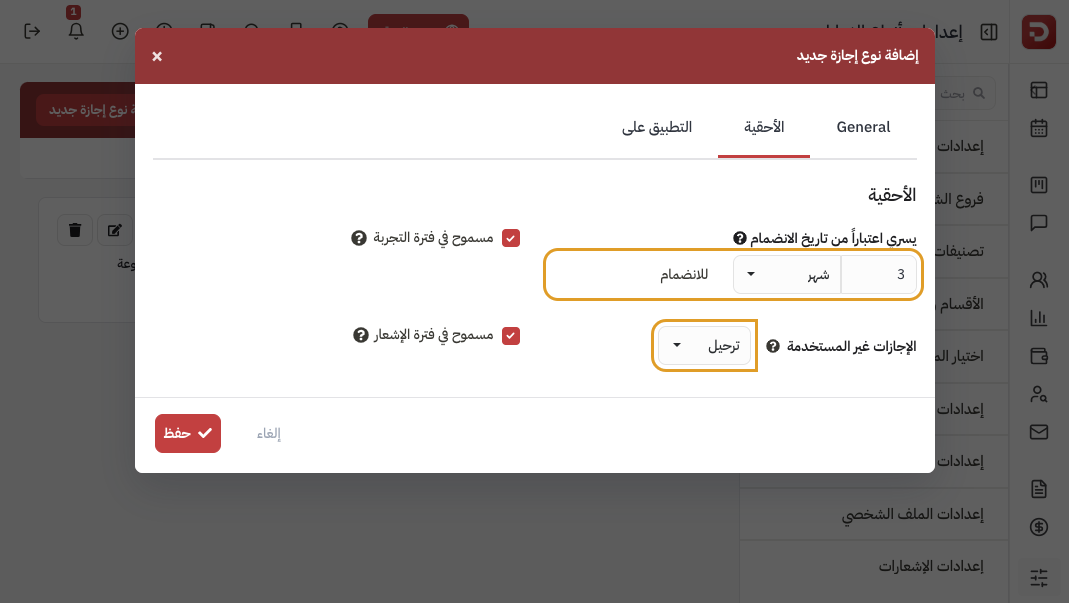
- Effective after: days or months from joining. Blank = from day one.
- Unused leaves: carry forward, lapse, or paid.
- Allow during probation or notice if needed.
Who can use this type
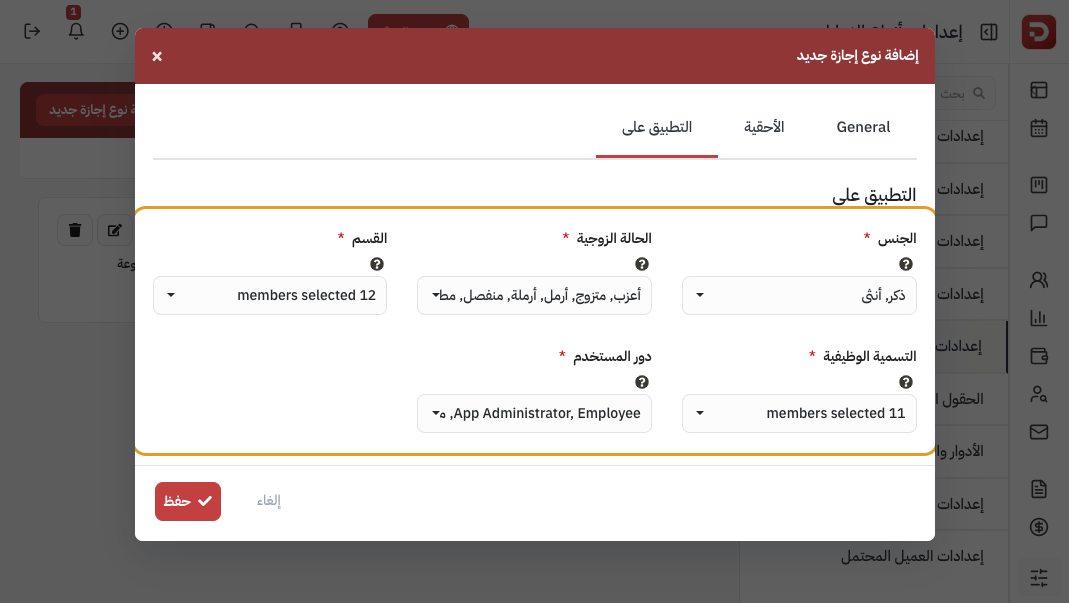
Leave everything selected to show it to everyone. Narrow by department or role if you need to. Then click Save.
How the year is counted, and who approves
Open the Leaves General Settings tab.
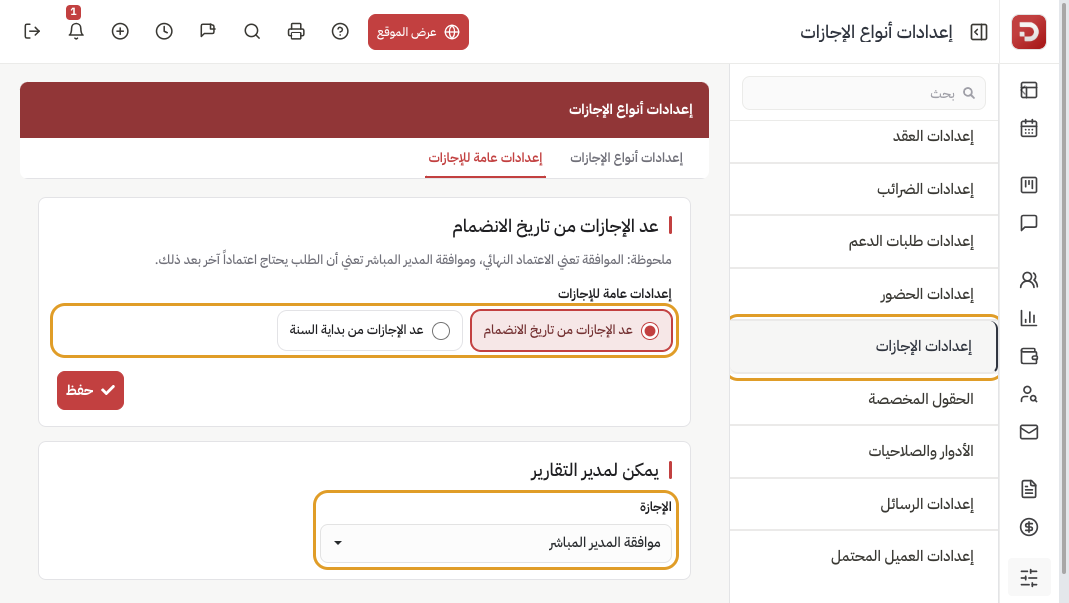
- Count leaves from the date of joining or from the start of the year.
- Reporting manager can — the Leave:
- Direct manager approval: the manager acts first; another approval is still required.
- Approve: the manager’s action is final.
- Not Approve: the manager cannot approve.
Saving the count rule asks whether to recalculate employee balances, or save the setting only.
What happens after you save?
- The type appears when someone requests leave. The balance follows these rules.
Common questions
An employee cannot see the type?
Check Applicability: gender, department, and role.
The balance is still empty?
Check effective-after, and that the type applies to that person.
You changed how the year is counted?
On save, recalculate balances, or save the setting only.