


Request and approve leave
Submit a leave request on the website or the app, then approve or reject it.
On this page
Who is this lesson for?
- Employee: submit a leave request from the website or the app.
- Manager or HR: approve or reject the request.
Before you start
- Leave types and balances are set. See Set up leave types and approval.
Open Leaves
From the menu: HRM → HR → Leaves.
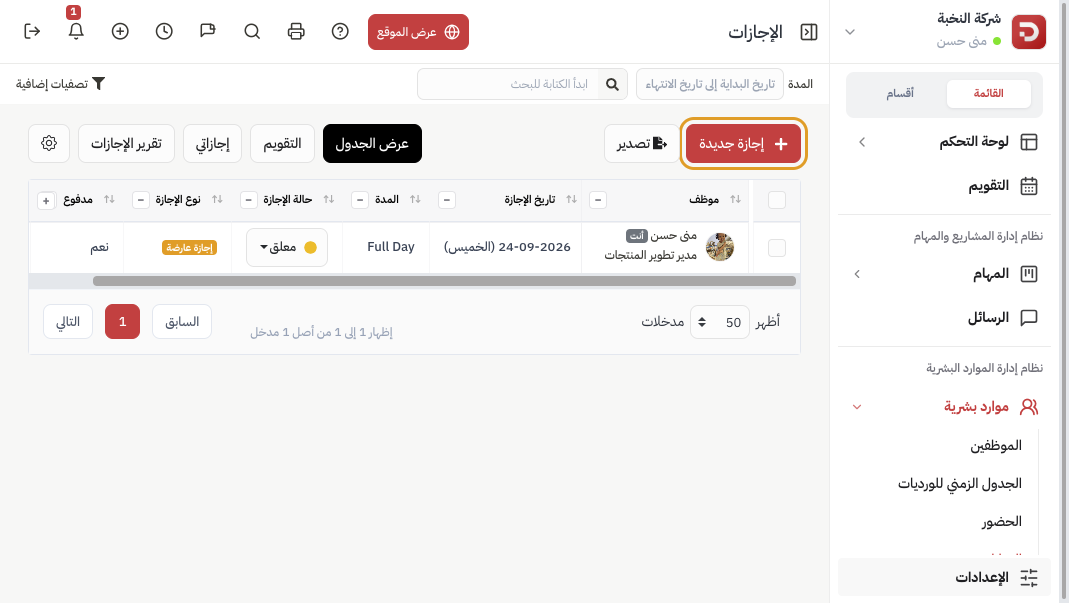
Click New Leave.
Submit the request
Website
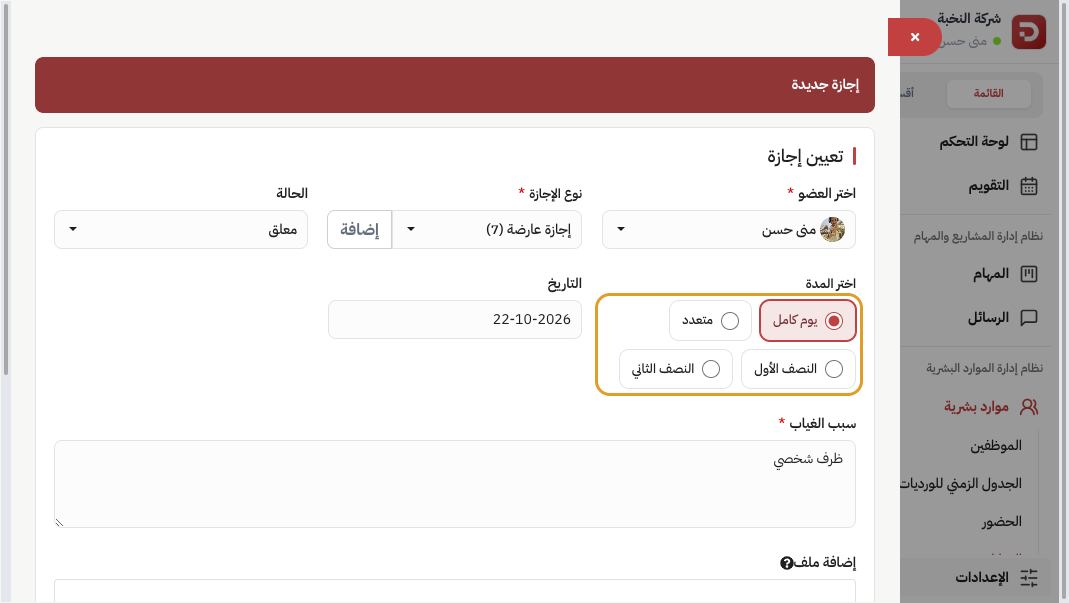
- Choose Member and the leave type.
- Duration: Full Day, Multiple, First Half, or Second Half.
- Date and reason.
If the type is Daily permission: duration is First Half or Second Half only, and you set Time From – To within the shift.
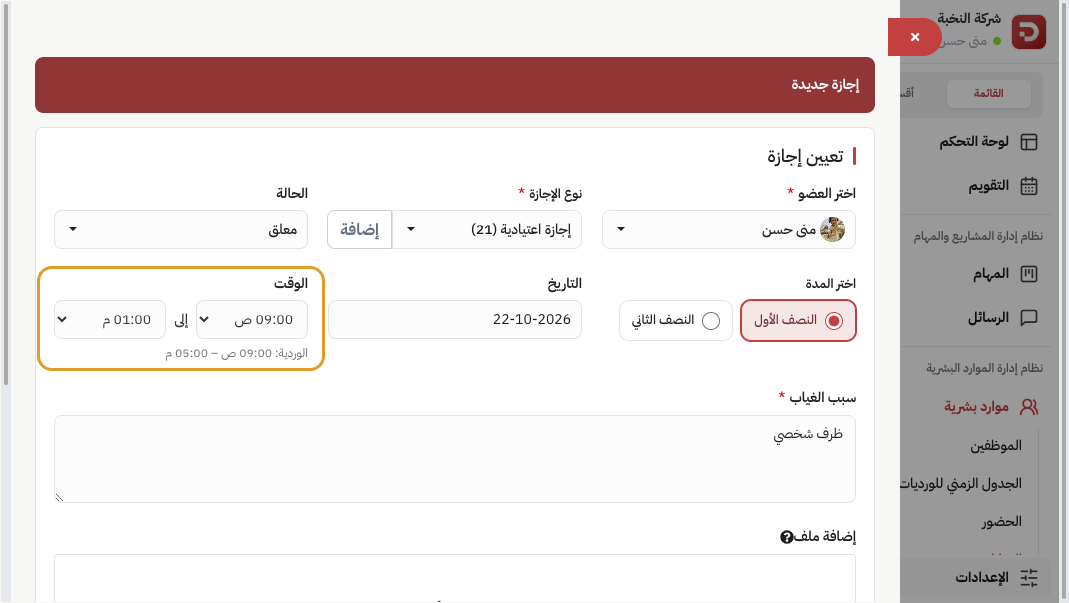
An admin can set the status to Approved immediately. Otherwise it stays Pending. Then Save.
App
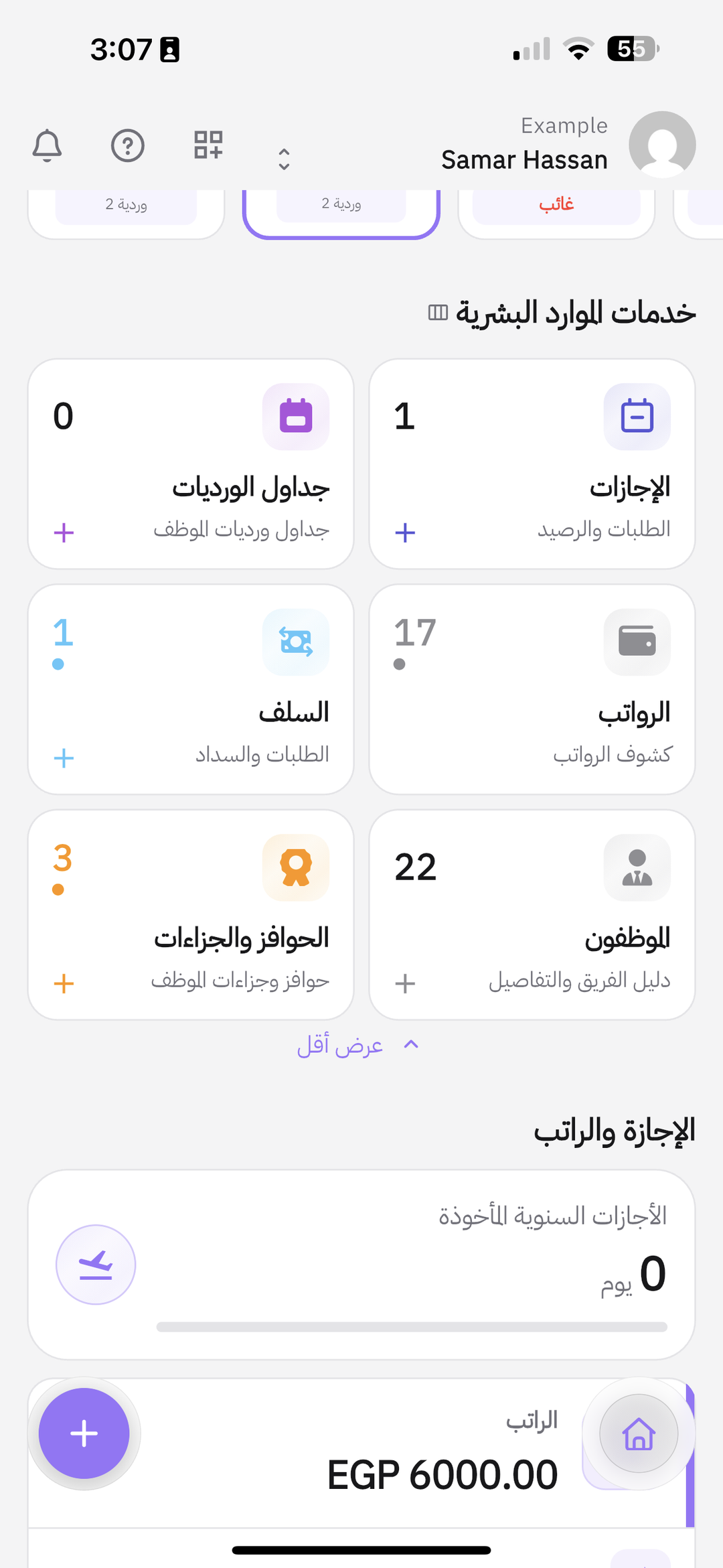
On Home, under HR services, tap Leaves or +.
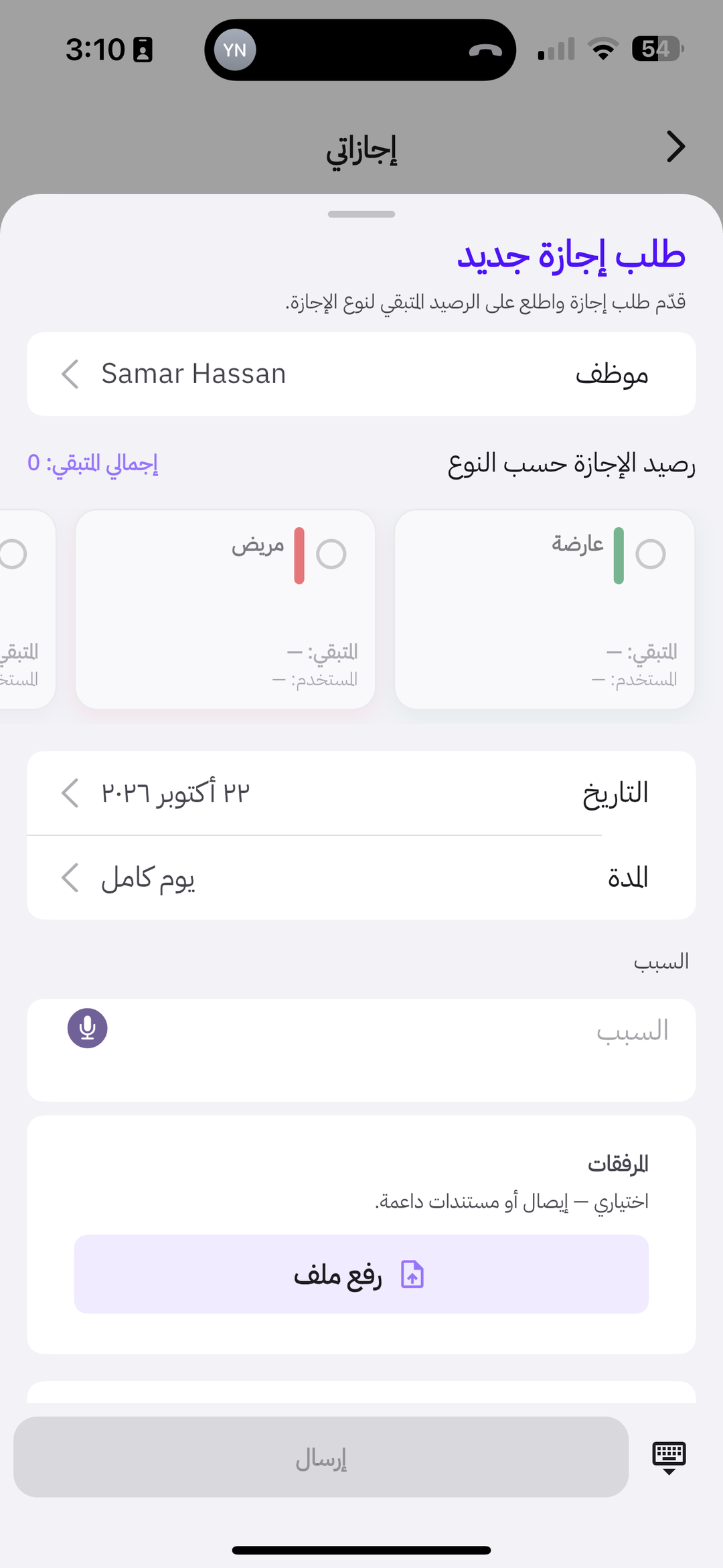
On New leave: pick the type, date, and duration, enter a reason, then Submit. If the type is Daily permission, Time From – To appears.
Approve or reject
Website
Open the pending request.
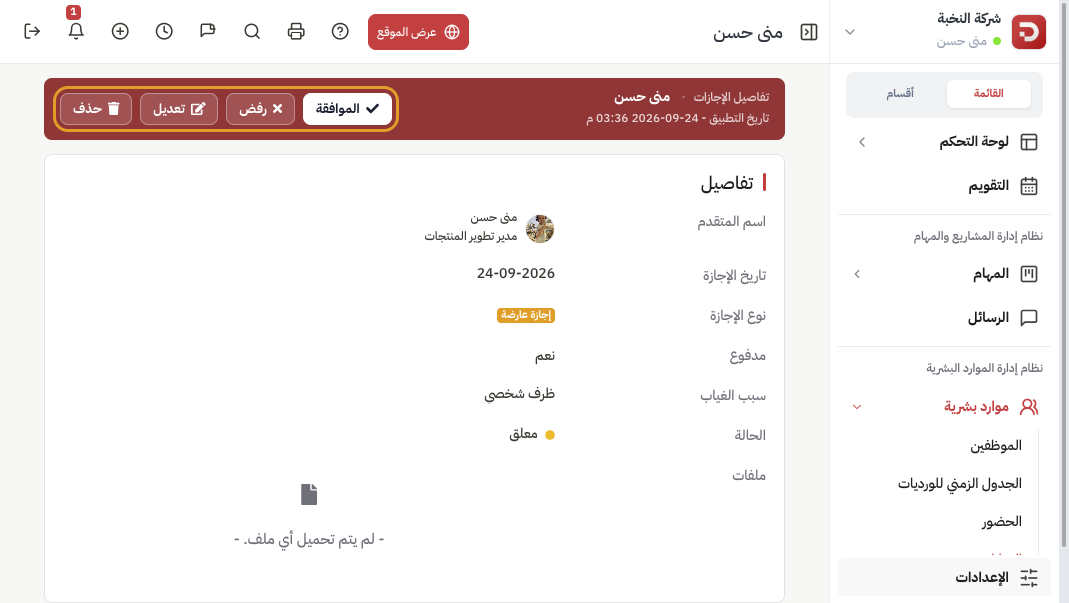
Click Approve or Reject. If the reporting manager is set to Direct manager approval, that action appears first.
App
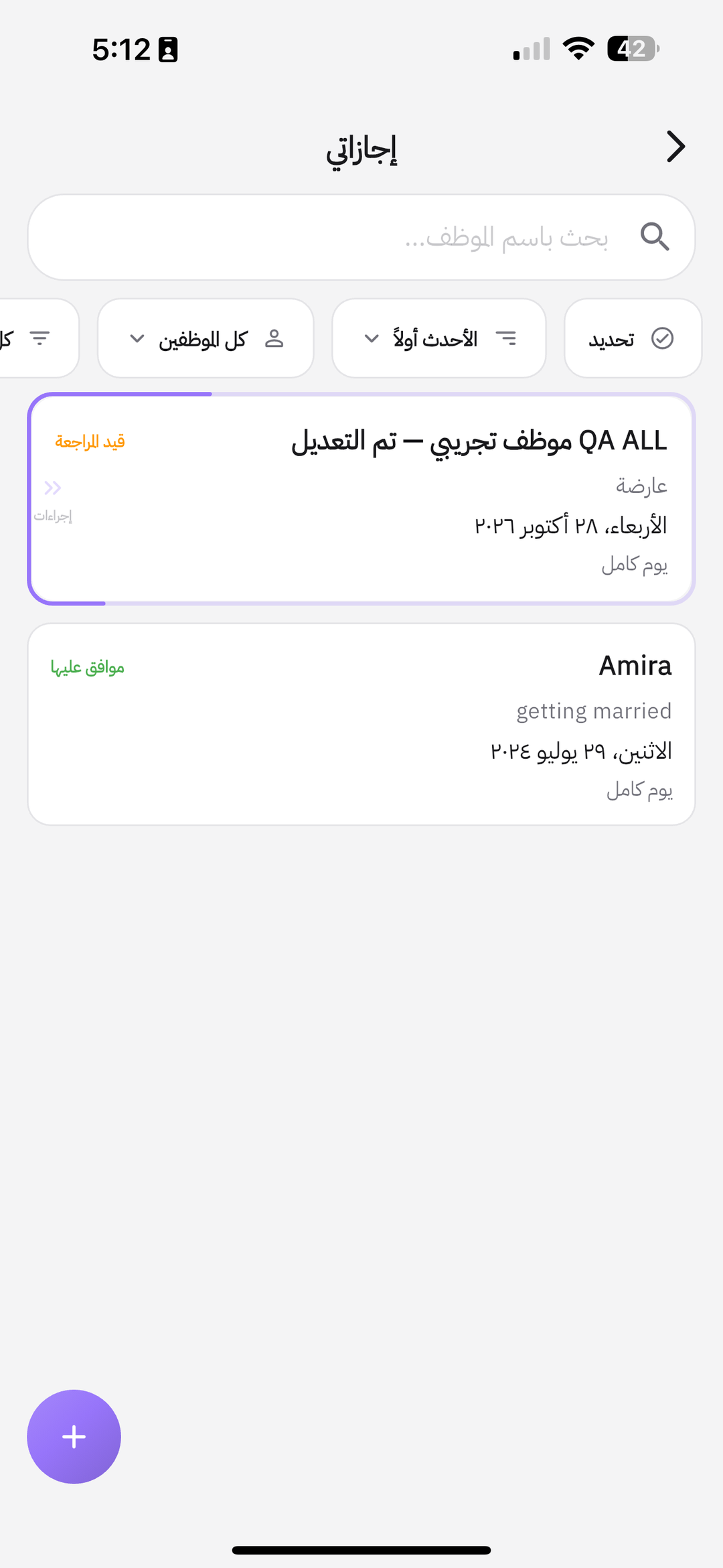
My leaves shows the request as pending until it is approved.
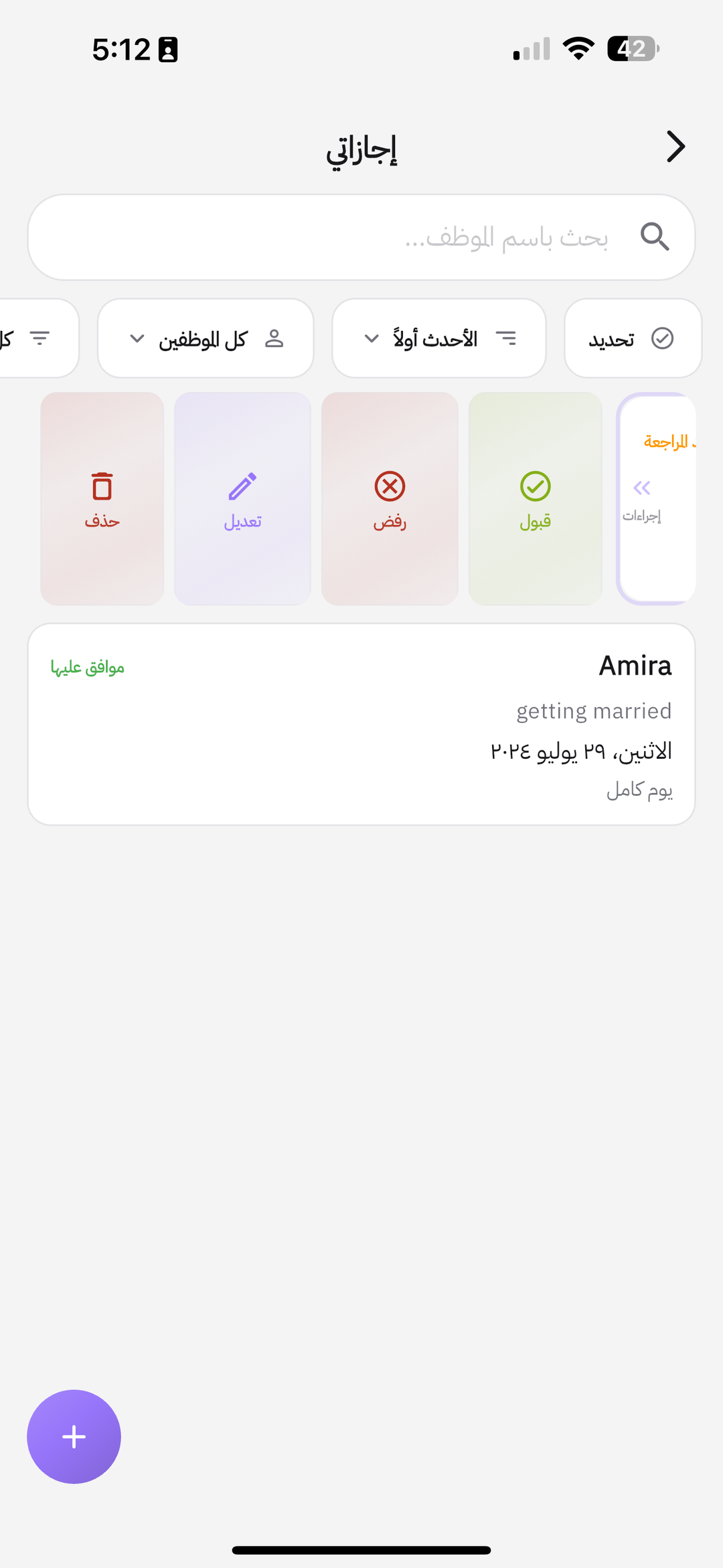
Swipe the request: Accept or Refuse. Edit and Delete appear if you have permission.
What happens after you submit?
- The request stays pending until it is approved.
- Approval deducts from that type’s balance. Rejection does not.
Common questions
The type does not appear?
Check the type settings: who it applies to, and when the balance starts.
Remaining balance is 0?
Pick a type with remaining days, or add balance in leave settings.
The manager cannot accept?
In general leave settings: reporting manager permission. If it is Not Approve, only HR can approve.