


Fill and confirm cycle reviews
Open a pending review, enter actuals, save a draft or submit, then confirm. Use the calendar to see due dates.
On this page
Who is this lesson for?
For the employee who fills a self-submit review, and for HR or the manager who checks and confirms it.
Before you start
A cycle is assigned. Set Duration to cover the cycle dates — the list defaults to this month.
Open Reviews
From the menu: Employee KPI → Reviews.
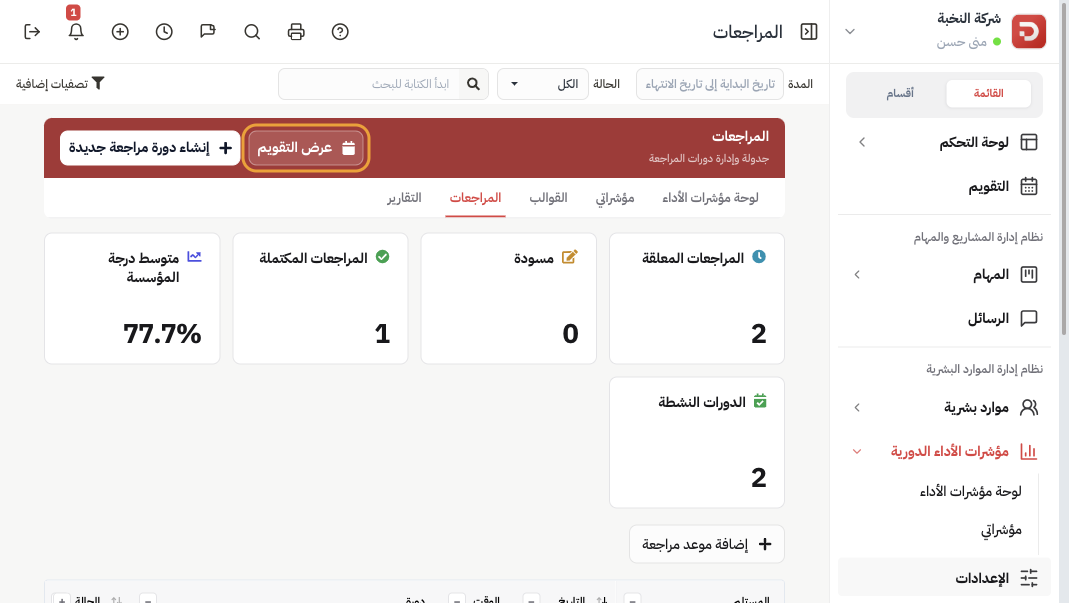
Cards show pending, drafts, completed, and the organization average. Filter by status, cycle, or search. Click Calendar view to see due dates on the month.
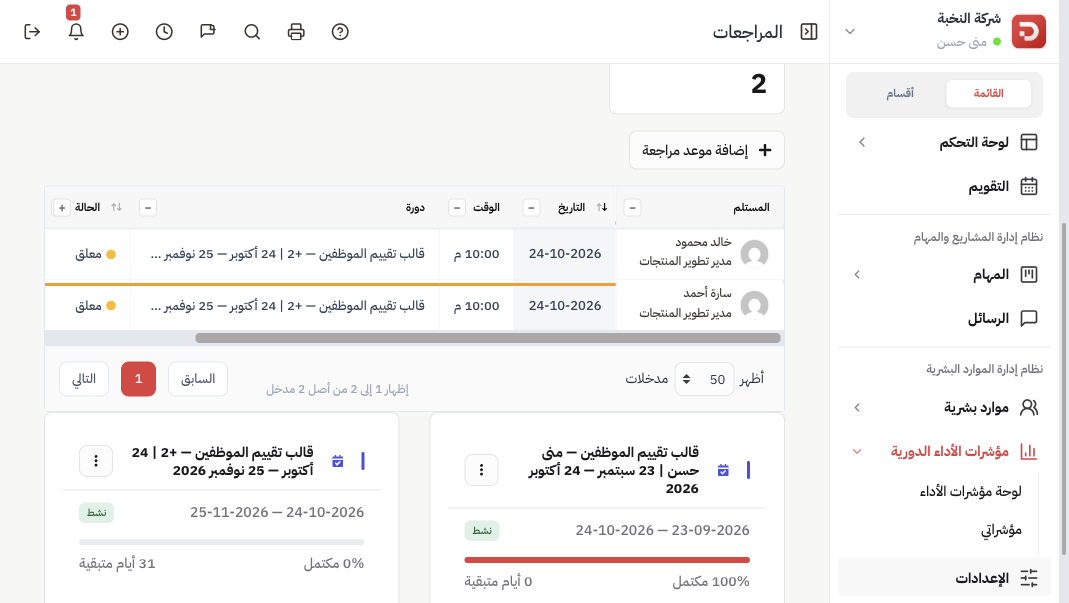
Open a row to fill or read that review.
Enter actuals and submit
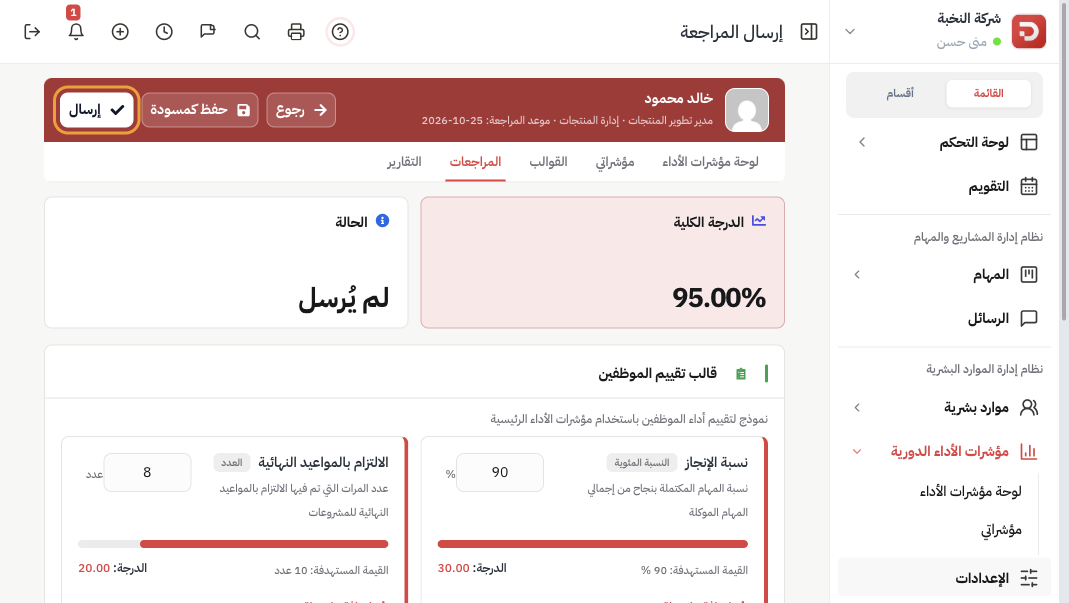
Each indicator shows the target, the method, and a box for the actual value. The overall score updates as you type.
- Save as draft: keep work without sending. Status becomes draft (Not reviewed).
- Submit: send for confirmation. Status becomes Submitted.
Add a note on an indicator or under general notes when the number needs context.
Confirm
After submit, a manager with permission clicks Confirm. Status becomes Completed. Confirmed scores feed reports when the cycle affects overall evaluation.
Same from the app
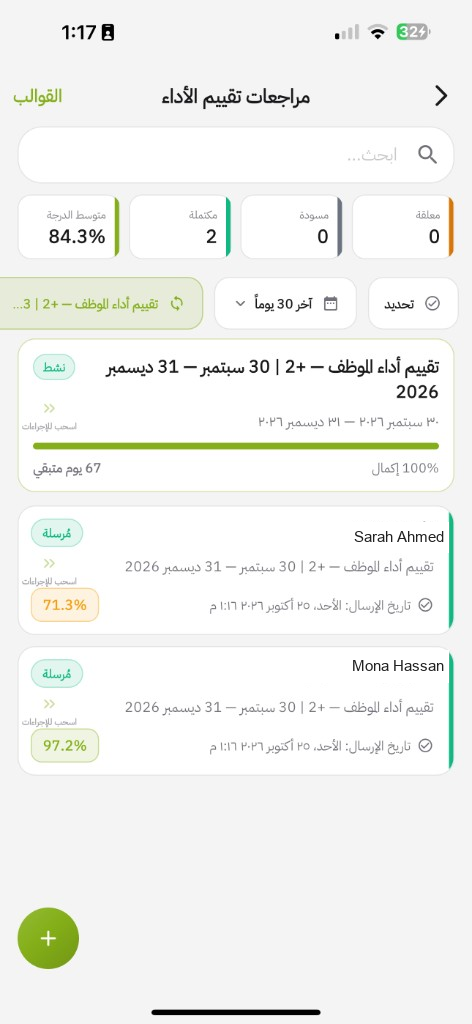
Open Reviews. You see pending, draft, completed, and the average. Filter by cycle or last 30 days. Tap a card to open it.
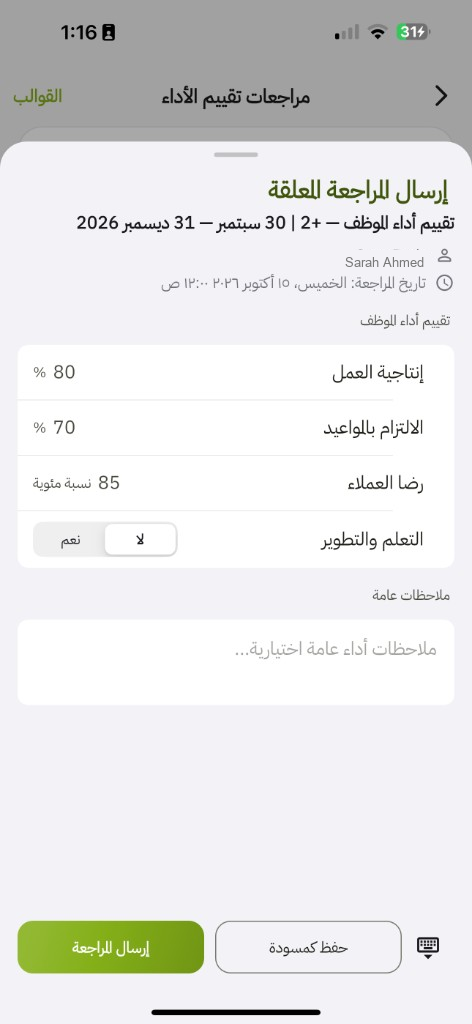
Enter actuals and notes. Save as draft or Submit review. Same statuses as the site. Employees who submit their own reviews fill this on the phone.
Status
| Status | When you see it |
|---|---|
| Not sent / Pending | The slot exists. Nothing saved yet. |
| Draft | Saved, not submitted. Filter label: Draft. |
| Submitted | Sent. Waiting for confirm. The list groups this with Completed as Completed until you open the row. |
| Completed | Confirmed. The score is final for this slot. |
Calendar
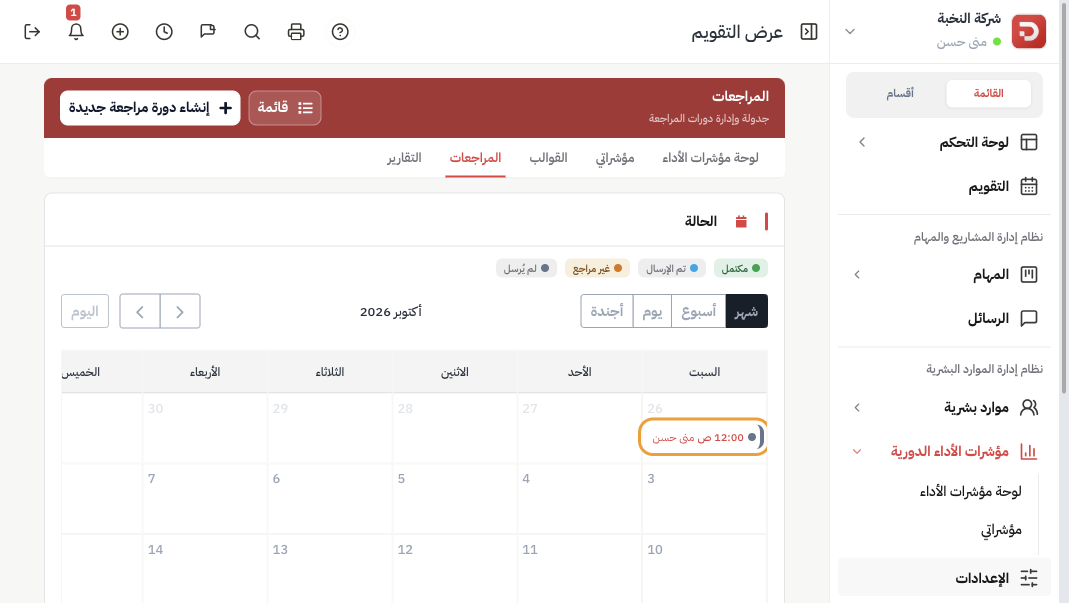
Use month / week / day / agenda. Colors: Completed, Submitted, Draft, Not sent. Click an event to open the review.
What happens after confirm?
- The employee average and the cycle completion rate update.
- Open Reports for the same cycle and dates.
Common questions
List is empty?
Widen Duration so it includes the cycle start, or pick the cycle in the filter.
Cannot edit?
Submitted and Completed are read-only. Confirm if you are the reviewer. Otherwise wait for the next slot.