


Add salaries with AI
Describe salaries in text or upload a file. Include allowances and deductions of every type, review the preview, then save.
On this page
Who is this lesson for?
For HR: add several salaries at once from a description or a file — including allowances and deductions.
Before you start
- Employees are already added. Names in the text must match people in the company.
- Permission to manage employee salary.
- Optional: reusable components in Salary components and tax. AI reuses a component when the name, type, and amount already match.
Open the AI page
From Payroll → Employee Salary click Import salaries with AI.
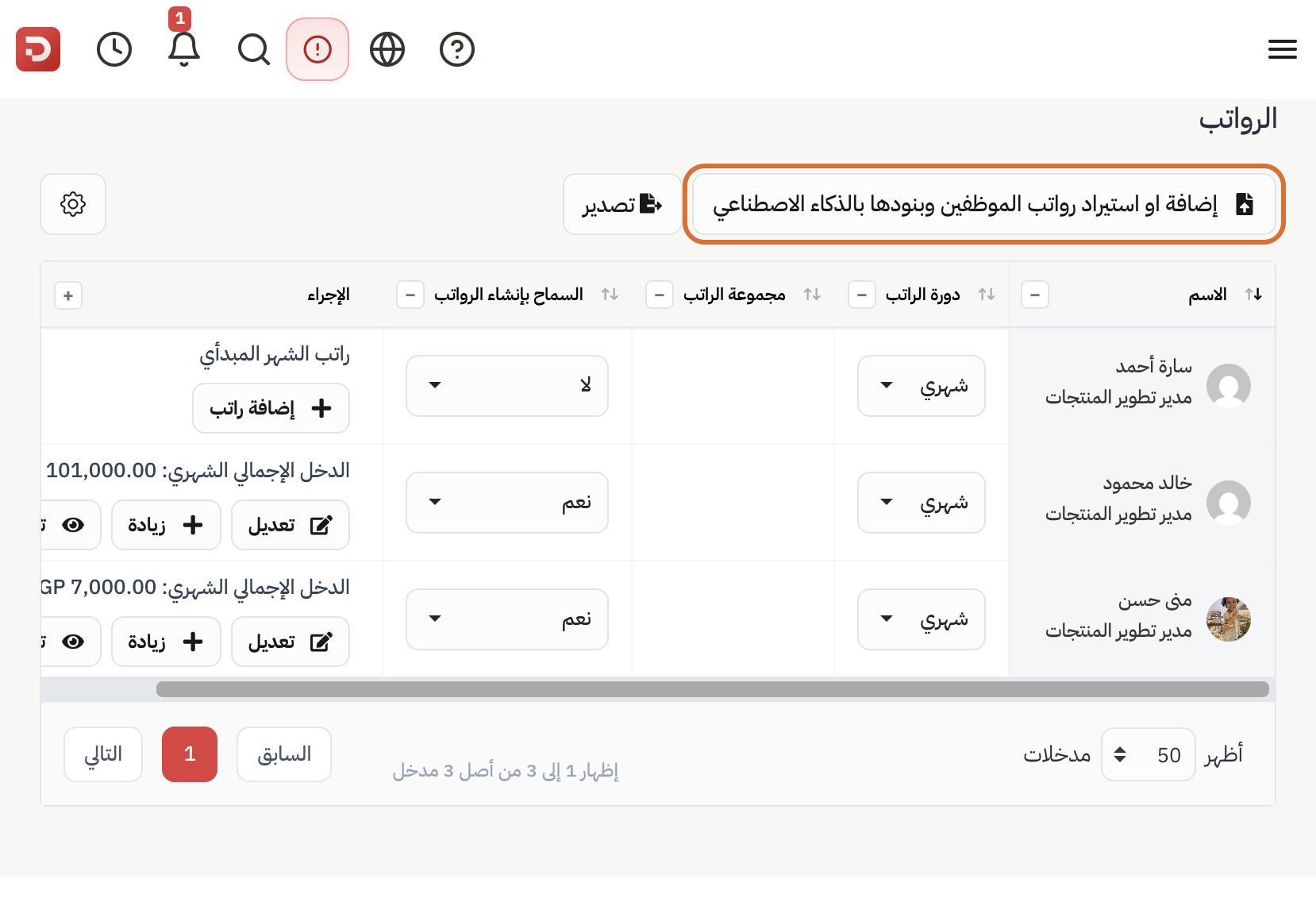
Describe salaries or attach a file
How to name each type in the text
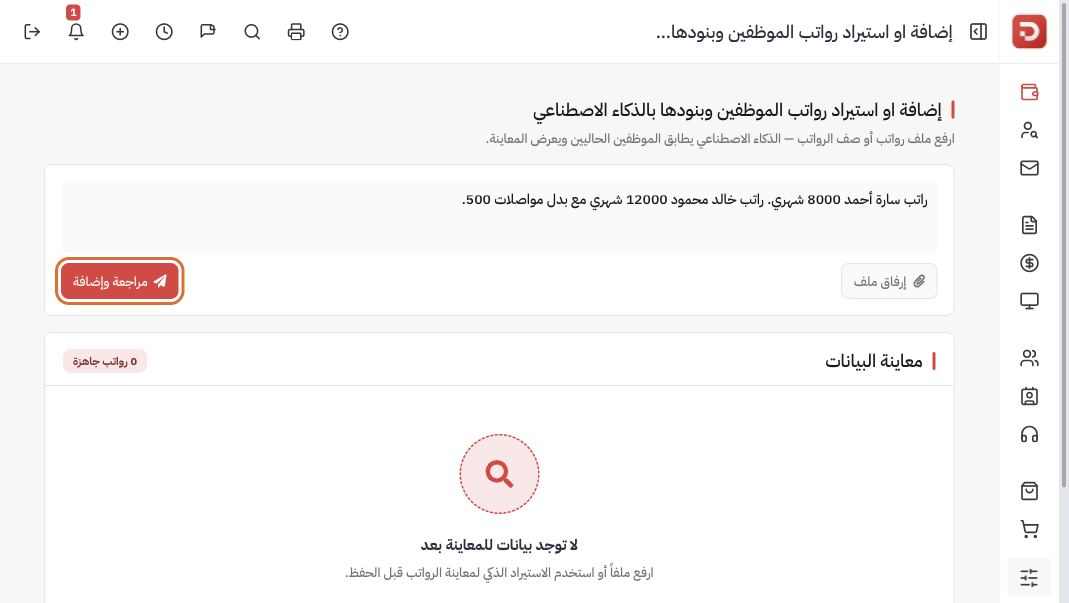
For each person write: name, CTC, cycle, then earnings and deductions. Do not write basic pay — it is always 100% of CTC. Or Attach a file (spreadsheet, PDF, or a photo of a salary list).
Example you can paste. Sarah Ahmed, CTC 8,000 monthly. Khaled Mahmoud, 12,000 monthly:
Sarah Ahmed: salary 8,000 monthly.
Housing allowance 1,000 fixed.
Transport allowance 500 monthly, variable by attendance days.
Cost of living 10% of CTC.
Representation 5% of basic.
Commission 5% on this employee’s invoices.
Extra allowance 400 this employee only.
Social insurance 800 deduction, fixed.
Medical insurance 2% of CTC, deduction.
Pension 5% of basic, deduction.Khaled Mahmoud: salary 12,000 monthly.
Housing allowance 1,000 fixed.
Transport allowance 500 monthly, variable by attendance days.
Cost of living 10% of CTC.
Representation 5% of basic.
Commission 5% on this employee’s invoices.
Social insurance 1,200 deduction, fixed.
Medical insurance 2% of CTC, deduction.
Pension 5% of basic, deduction.
Click Send and review. Nothing is saved until you click Save salaries.
Full meaning of each type: component types. Same types, with Sarah’s CTC 8,000:
| In the text | Type | What it becomes |
|---|---|---|
| Housing allowance 1,000 | Fixed earning | 1,000 every cycle. Cost to company 9,000. |
| Transport 500, variable by attendance days | Variable by attendance days | 500 for a full month. When you generate payroll with attendance on, 20 of 30 days ≈ 333. |
| Cost of living 10% of CTC | CTC Percent earning | 800. Changes if CTC changes. |
| Representation 5% of basic | Basic Percent earning | 400 (basic is 100% of CTC). |
| Extra allowance 400 this employee only | This employee only | 400 on Sarah’s salary only. Khaled does not get it. |
| Commission 5% on this employee’s invoices | Commission earning | Do not type a number. When you generate payroll with Include commissions on, 5% of Sarah’s invoices in that period is added. |
| Social insurance 800 deduction | Fixed deduction | 800. Cost to company does not increase. |
| Medical insurance 2% of CTC, deduction | CTC Percent deduction | 160. Cost to company does not increase. |
| Pension 5% of basic, deduction | Basic Percent deduction | 400. Cost to company does not increase. |
Commission is added to what the employee receives. Deductions are taken from what they receive.
Check the preview, then save
The preview can show four tables:
- Salary components — name, earning or deduction, type, amounts. Change a type here if the preview got it wrong.
- Salary group — a package of those components when several people share them.
- Payroll tax — brackets, only if the text or file included tax.
- Salaries — employee, CTC, cycle, group. Fix the person if the name did not match.
Then Save salaries.
What happens after you save?
- Matching employees get a salary from the preview you confirmed.
- New components in the text are created and assigned. Existing ones are reused when name, type, and amount match.
Common questions
Wrong person in the preview?
Correct the name in the text and send again, or pick the right employee in the salaries table, before you save.
One employee only?
Add Salary on that row is enough. AI helps when you have many.
Type came out wrong?
Change it in the components table in the preview, then save. Meanings: component types.
Transport or commission empty on the slip?
For transport: generate with Use Attendance on. For commission: generate with Include commissions on.