


Annual increase — and how it differs from Edit
Increment adds a dated raise or cut. Edit changes the salary structure itself.
On this page
Who is this lesson for?
For HR: give an annual raise, or change the salary structure, without mixing the two.
Before you start
The employee already has a salary. The row then shows Edit and Increment.
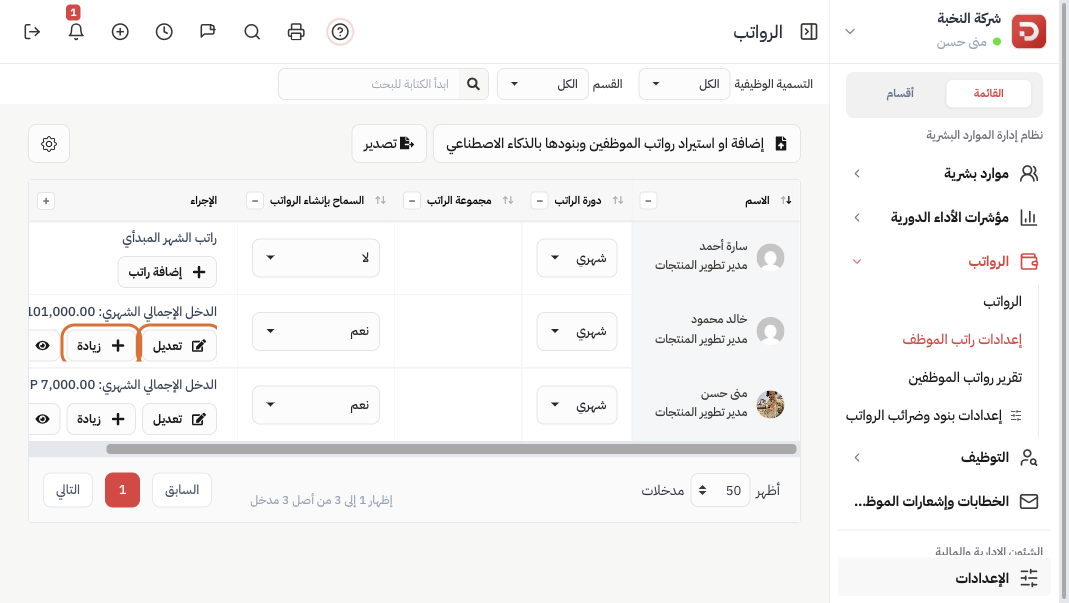
The difference
| Action | Use it for |
|---|---|
| Edit | Change cycle, amount, group, basic pay, earnings, or deductions. Use when the structure itself changes. |
| Increment | Add a dated increase or decrease on top of the current salary. The structure stays. Use for an annual raise. |
Edit (structure)
Click Edit. The same salary details open.
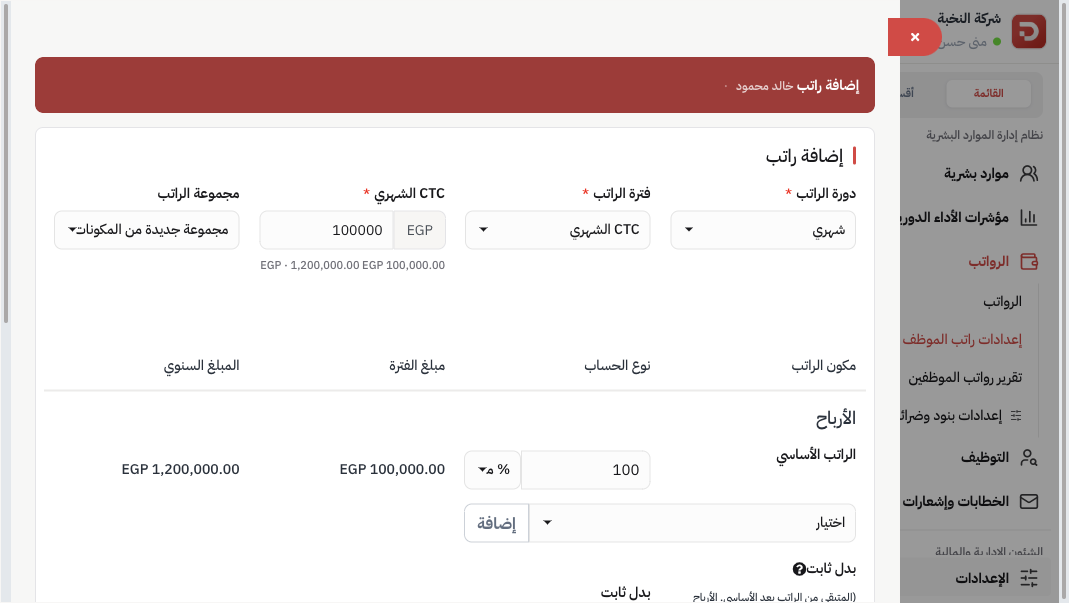
Change what you need — including component types — then Save.
Increment (annual raise)
Click Increment.

| Field | What to enter |
|---|---|
| Value type | Increase or Decrease. |
| Annual increment amount | The yearly figure, not the monthly one. |
| Increment date | The date the change starts. |
Current annual and monthly gross pay are shown so you can check the result. Then Save.
Open Salary history on the row to see past increases.
What happens after you save an increase?
- Gross pay on the list updates from that date.
- The next payroll run uses the new amount. Previous slips stay as they were.
Common questions
Raise of 1,000 a month?
Enter 12,000 as the annual increment amount.
Need a new allowance as well?
Edit the structure and add the component type, then Increment if the base amount also changes. To reuse it for others, save it in Salary components and tax.