


Use the projects and tasks board
From Work open the projects and tasks board. Switch List, Board and Gantt. On the app use Calendar.
On this page
Who is this lesson for?
- Company admin and employees: open Work and move tasks on the board.
- Clients: see the same board for projects they can access.
Before you start
- In Project Settings choose Board.
- The Projects module must be on.
Open the board
From the menu: Work. You land on Projects & tasks board. The header shows All work.

On the left: Add Status Column and Add Task. Filters: Duration, Employee, Task Category, and search.
The projects rail
The rail title is Projects. The arrow next to it shrinks the rail. All work lists every task. Pick a project to see only its tasks. Search sits under the title. Plus adds a project.

Expand Sidebar next to All work brings the rail back.
List, Board, Gantt
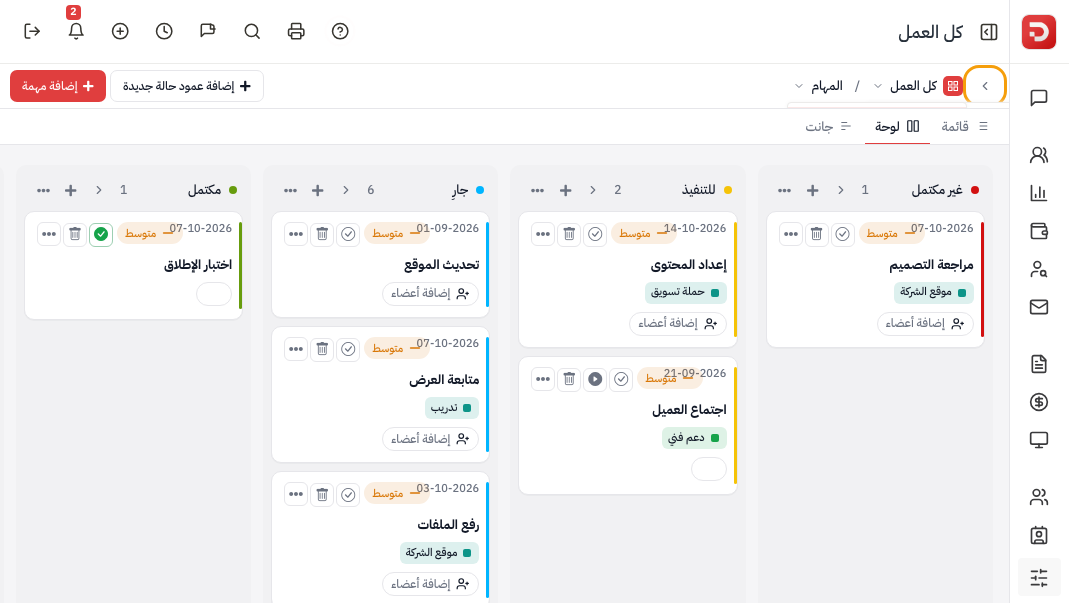
Under the header. The rail is collapsed here so the tabs have room:
| Tab | What you see |
|---|---|
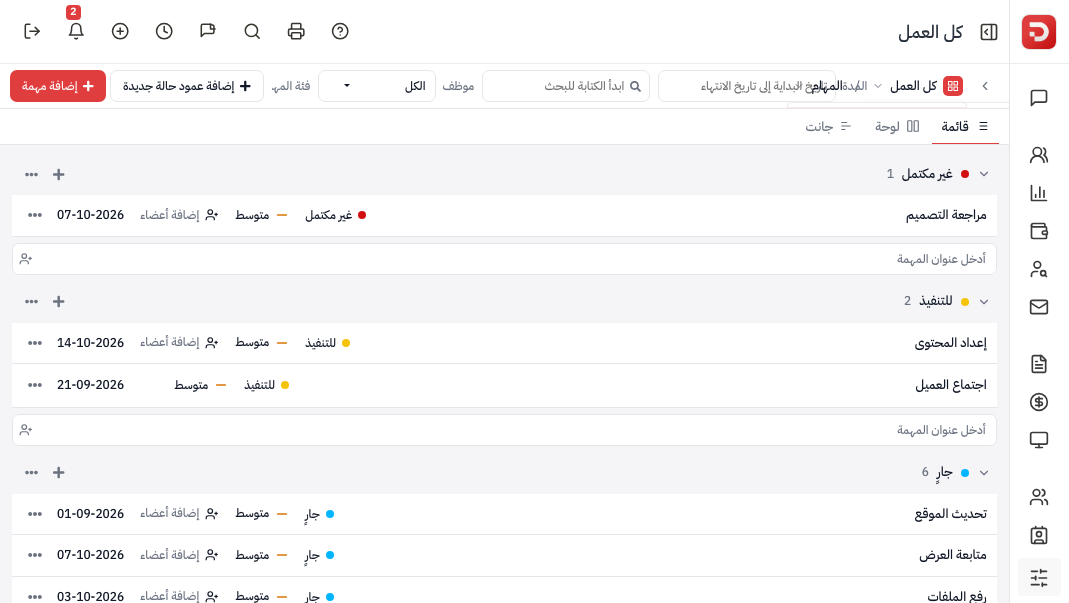
| List | The same tasks as rows, grouped by status. |
| Board | Status columns and cards. This lesson. |
| Gantt | Bars on a timeline. Next lesson. |
The board
Each column is a task status. Drag a card to another column to change status. Or open List and click the status on the row. Plus on a column adds a task in that status. Add Status Column adds a status.

The list
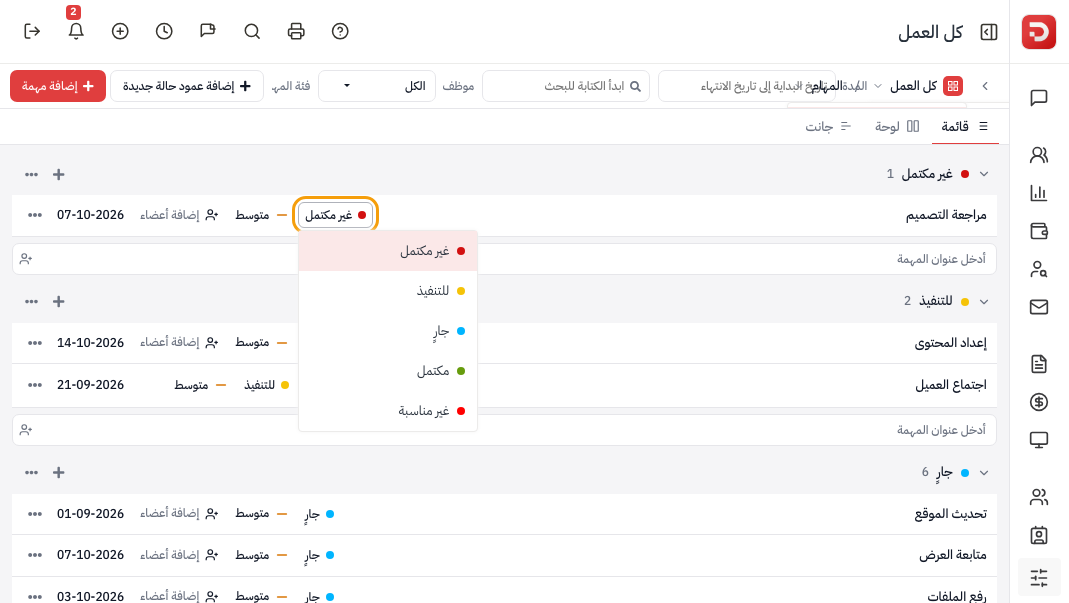
Same tasks as rows. Click the status on the row and pick another. Drag a row to another group also changes status. Plus on a group adds a task there.
The app
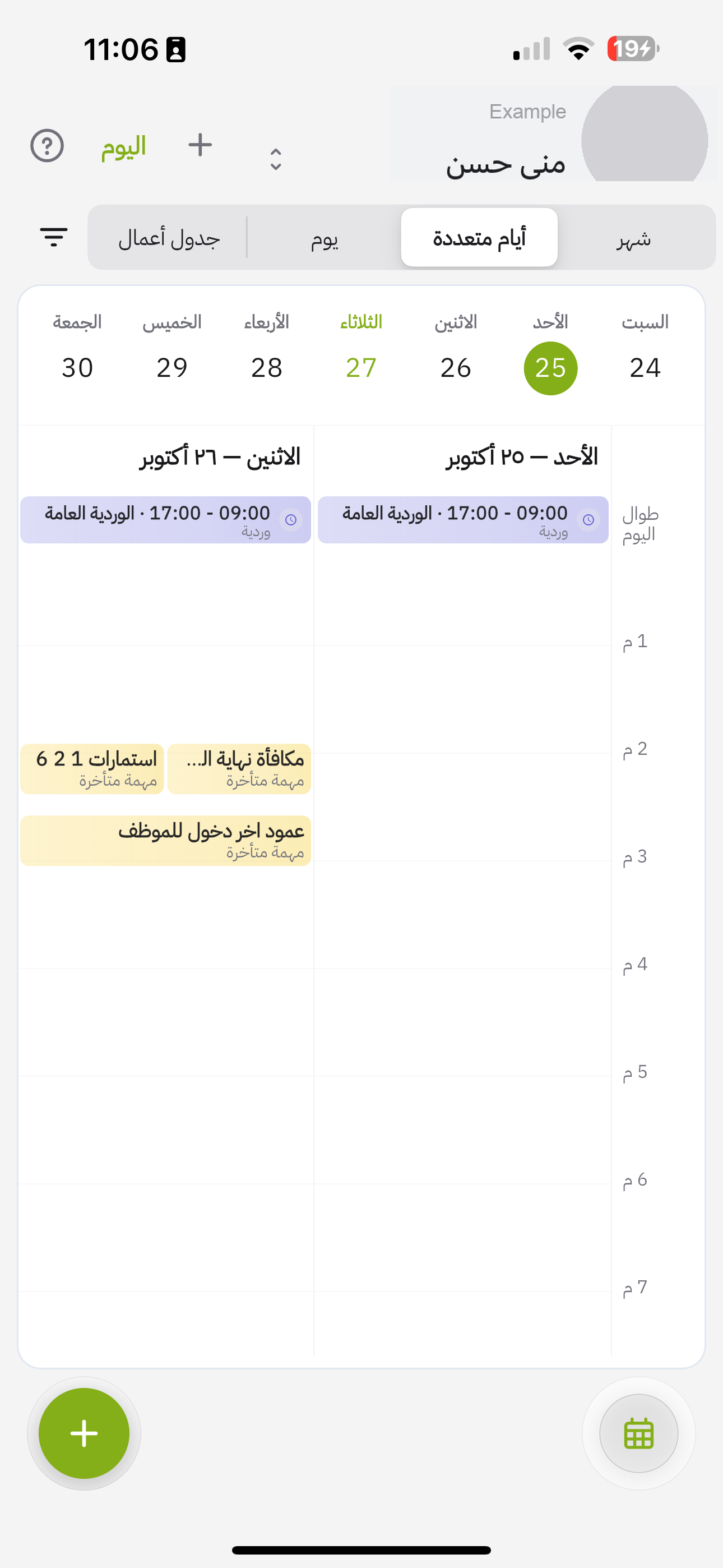
On the app open Calendar in the bottom bar. Views: Agenda, Day, Multi-day, Month. Plus adds.
Agenda lists the day: shifts, tasks, reminders.

Agenda

Day
Multi-day
What happens after?
- The board is the daily place for projects and tasks on the web.
- Calendar is the same work on the phone.
Common questions
I do not see the board?
Settings → Project Settings → choose Board. The Projects module must be on.
How do I change status?
Drag a card on the board. On List click the status on the row.
All work or a project?
All work is everything. A project on the rail filters the board.
Next: Use Gantt.