


Add a task or an external mission
From List then Board, Add Task. Fill Task Info. Turn on Is the task an external mission? when it needs a map location. On the app, plus opens Quick add task, then Requires location.
On this page
Who is this lesson for?
- Company admin and employees who may add tasks.
- Clients: do not add tasks from the board.
Before you start
- You already open the projects and tasks board.
- You need permission to add a task.
List
The projects rail is collapsed so List, Board and Gantt show. List is first. Add Task is on the left, next to Add Status Column. If a project is selected, the new task belongs to that project. From All work you pick the project on the form.
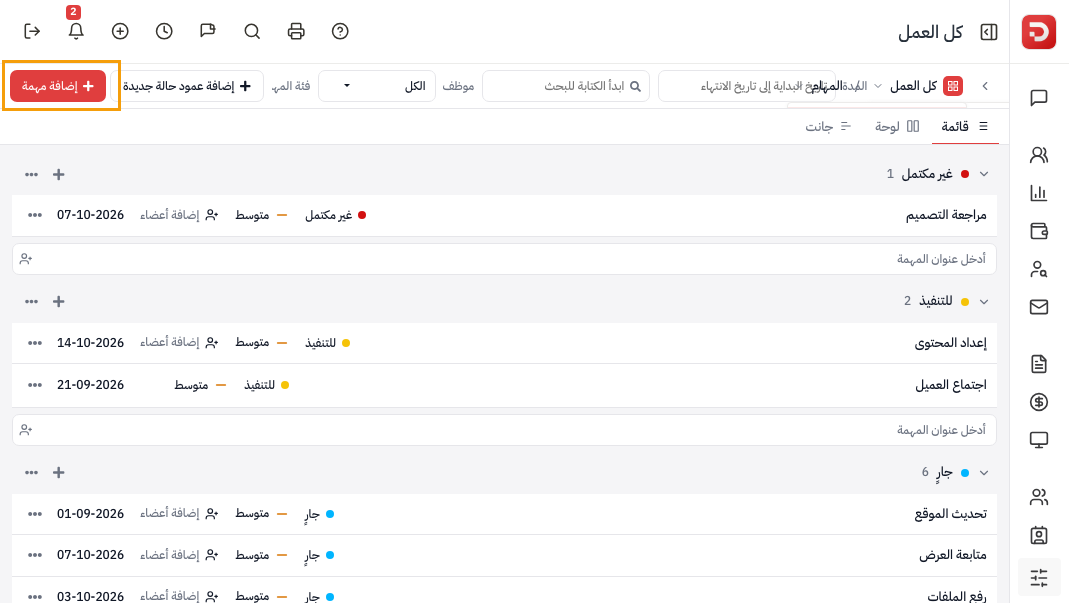
Plus on a group opens a title field in that status. Type the title, optionally assign someone, then Enter. Placeholder: Enter a task title.

Board
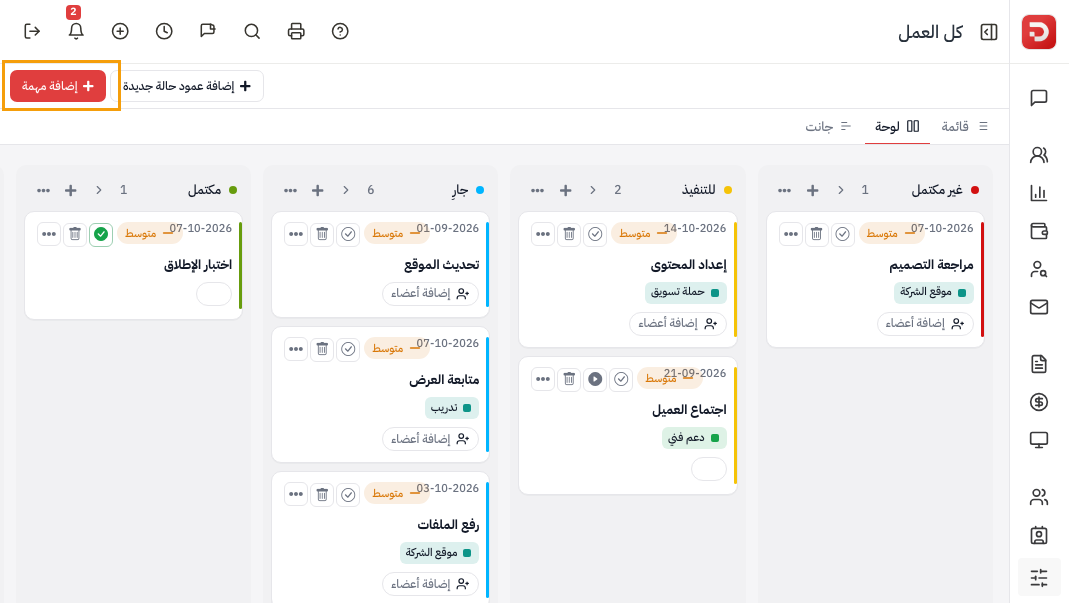
The same Add Task on Board. Plus on a column adds in that status, like plus on a List group.
Task Info
Add Task opens the form. The panel title is Task Info.

| Field | What it is |
|---|---|
| Title | Required. |
| Task category | Optional. Pick or add a category. |
| Project | The project, or empty from All work. |
| Start Date / Due Date | Required unless you tick Without Due Date. |
| Assigned To | Who does the task. Assign to me picks you. |
| Description | Optional. |
| Is the task an external mission? | On: the task needs a map location. Use that for a field visit. |
Show more fields has label, Milestones, status, priority, Make Private, Billable, time estimate, repeat, a dependent task, and files. Then Save or Save & Add More.
The app
Open Tasks. Plus adds a task. Search and filters sit under the title. A field-visit task on the list shows check-in actions.

Plus opens Quick add task. Subtitle: Create a task without leaving the app.

When Requires location is on, Choose on map opens Pick location on map. Search, Use my location, then Use this location.

Show more fields then has Location name, Priority, Category, Status, Billable, Time estimate (Hours / Minutes), Description. Then Save.

Quick add task fields
| Field | What it is |
|---|---|
| Title | Required. |
| Project | Optional. No project, or pick one. |
| Assignees | Who does the task. |
| Start / Due | Due is off when Without due date is on. |
| Requires location | On: the task is an external mission. A map location is required. |
What happens after?
- The task appears on List and Board in its status.
- An external mission shows on the list with check-in and the map.
- Open it to follow files, sub tasks and comments.
Common questions
No Add Task?
You need permission to add a task.
Must it belong to a project?
No. From All work you can save without a project.
When do I turn on Requires location?
When the work is outside the office and the person must check in on the map.