

Add a connection
Connect WhatsApp, email, sheets or another app. Set Connection name and Mode (Live or Test), then Save and test or Save and sign in.
On this page
Who is this lesson for?
Anyone with Manage Automation.
Open Connections
Menu: Automation and automated workflows → Automation settings, then the Connections tab.
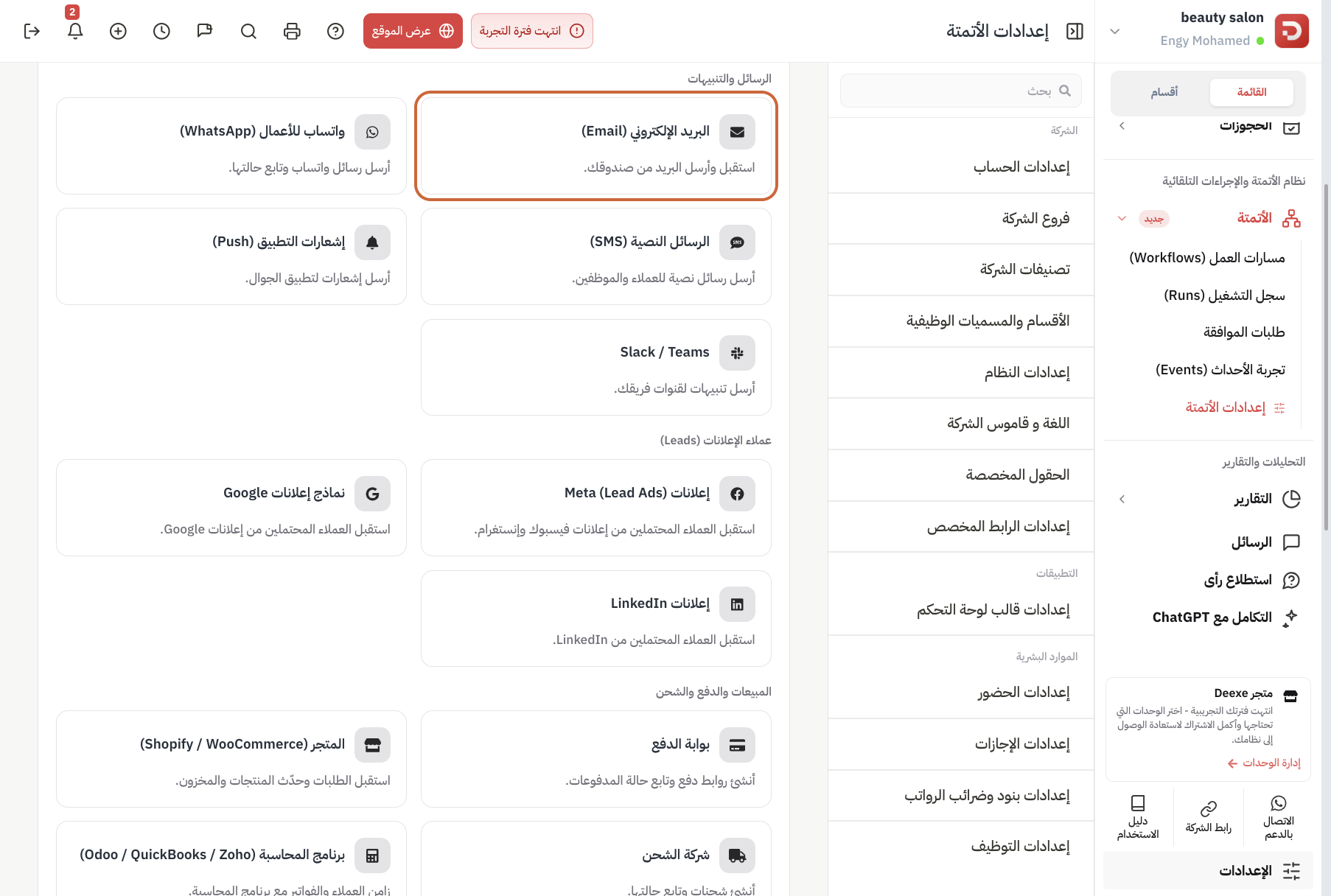
Pick the app
Click Add a connection and pick the service. Shared fields:
| Field | What it is |
|---|---|
| Connection name | What the team sees in Open builder. |
| Mode | Live or Test. Test does not send to real clients. |
Then fill that app’s fields. Full list: Connected apps: fields and operations.
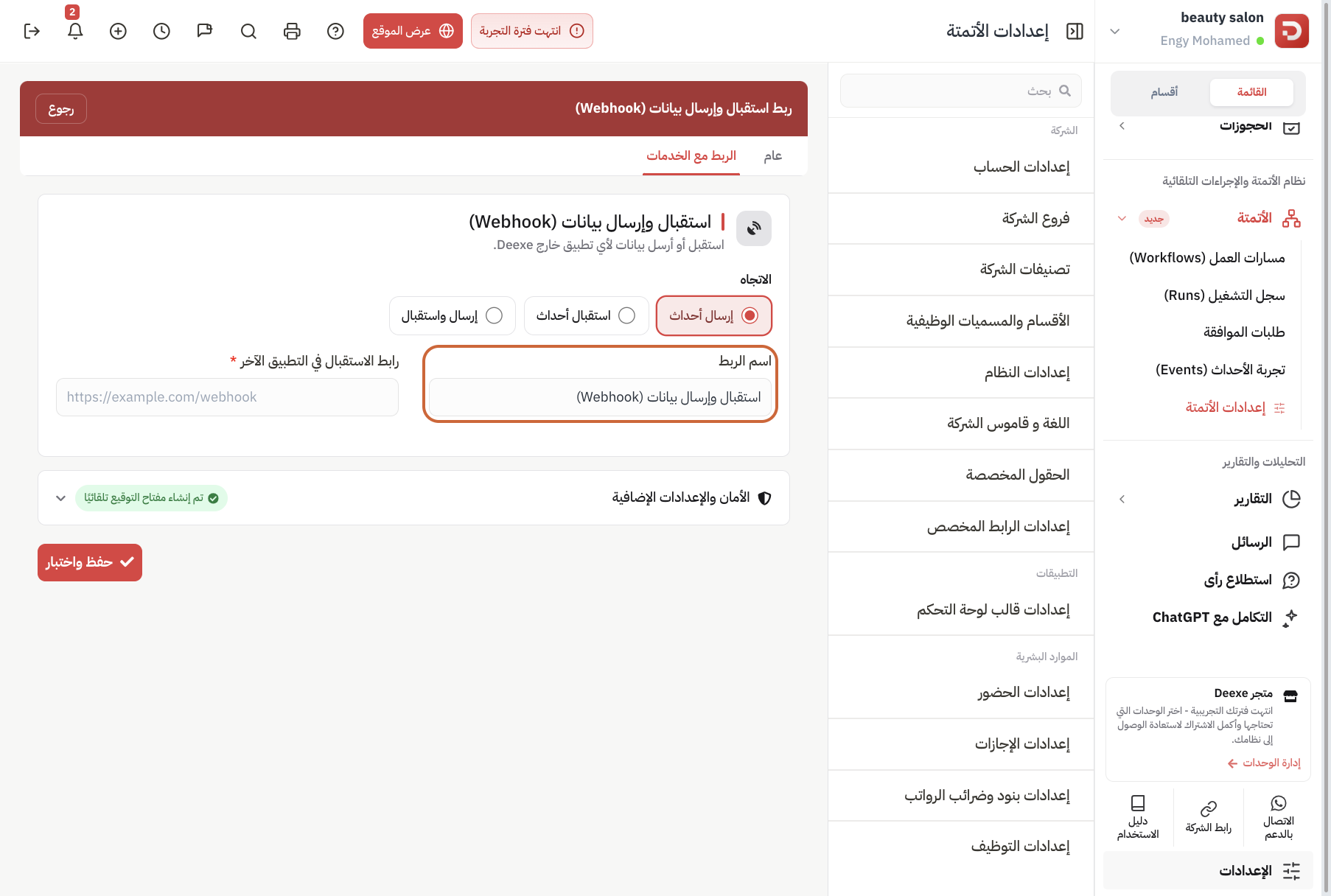
Save and test, or Save and sign in
- Save and test — checks the keys work.
- Save and sign in — Google, Microsoft, Meta, LinkedIn. You are sent to that service to allow access.
For a webhook, copy Receiving link (Webhook URL) from the form into the other service.
Turn off or remove
Status Off stops workflows using the connection. Remove it when no workflow needs it.